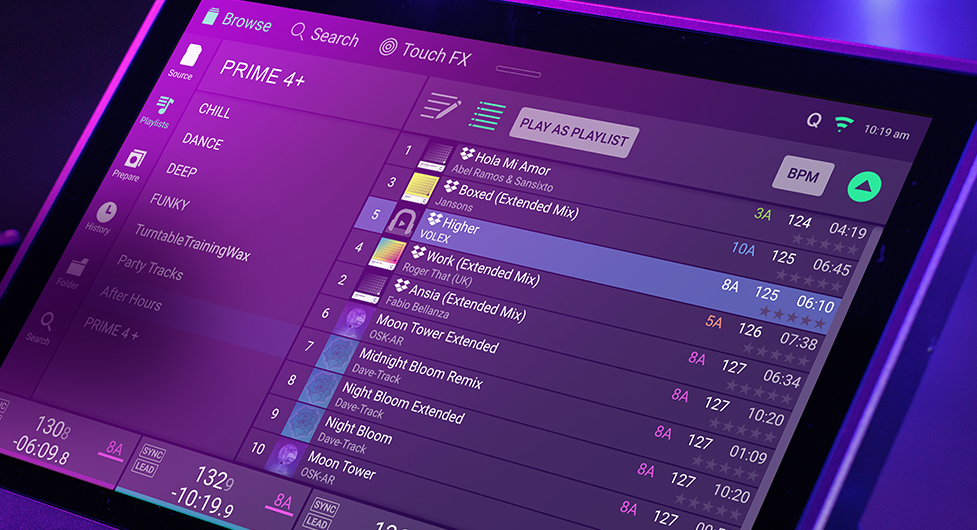
Engine DJ now stores album artwork in a dedicated folder within the Engine library, rather than embedding it directly in the database file.
This change reduces the size and complexity of the database file, which can improve overall Engine OS performance, including library loading, browsing, and export operations.
This migration occurs when:
- Importing tracks into Engine DJ
- Packing or exporting to a drive
- Running the Run Cleanup database optimization in Engine DJ Desktop
- Loading tracks from Folder View on an Engine OS device
Libraries or drives that have transitioned to the new album art storage format may not display artwork when used with Engine OS version 4.3.4 or older, as those builds do not support this structure.
To ensure consistent artwork display:
- Keep both Engine DJ Desktop and your Engine OS device firmware up to date
- Perform a Run Cleanup database optimization in Engine DJ Desktop with all drives connected to your computer
- Re-sync or re-export your library after updating
- Avoid using the same drive across significantly different Engine DJ or Engine OS versions where possible
Was this article helpful?
That’s Great!
Thank you for your feedback
Sorry! We couldn't be helpful
Thank you for your feedback
Feedback sent
We appreciate your effort and will try to fix the article